

Overview
Smart skills are generated by Voker only as necessary—based off user corrections and logged errors and integrated directly into your prompt architecture.Where to find Smart skills
Open Smart Skills in the project sidebar to browse skills across all agents, or open an agent and select the Smart Skills tab to manage skills for that agent alone.Smart Skills and cost performance
In addition to making your agent prompts more efficient at getting a user to their destination quicker, skills can improve token efficiency. Head to the Smart Skills page to see how skills added or removed by Voker are affecting your bottom line.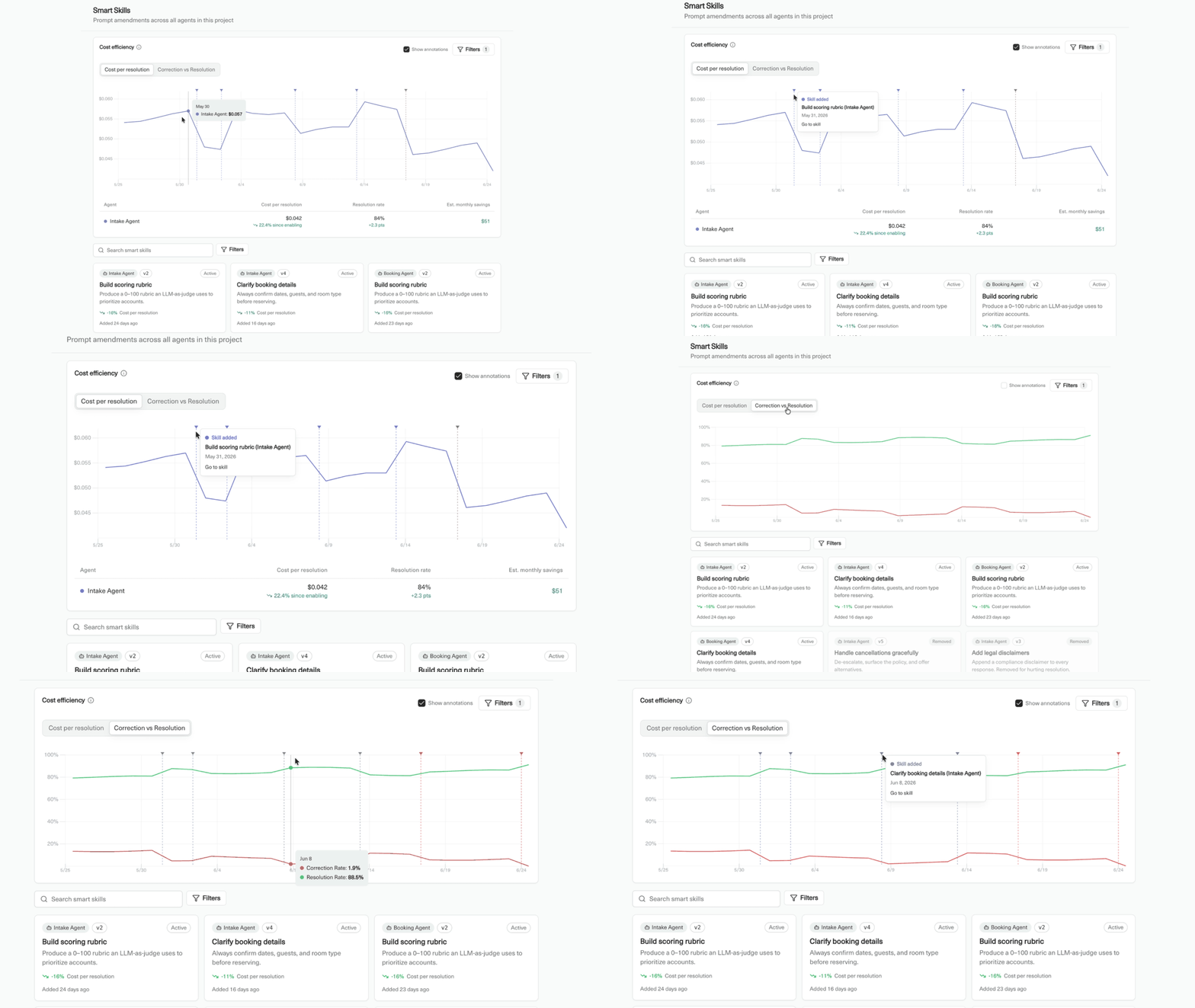
Toggle between cost per resolution and correction vs. resolution rate
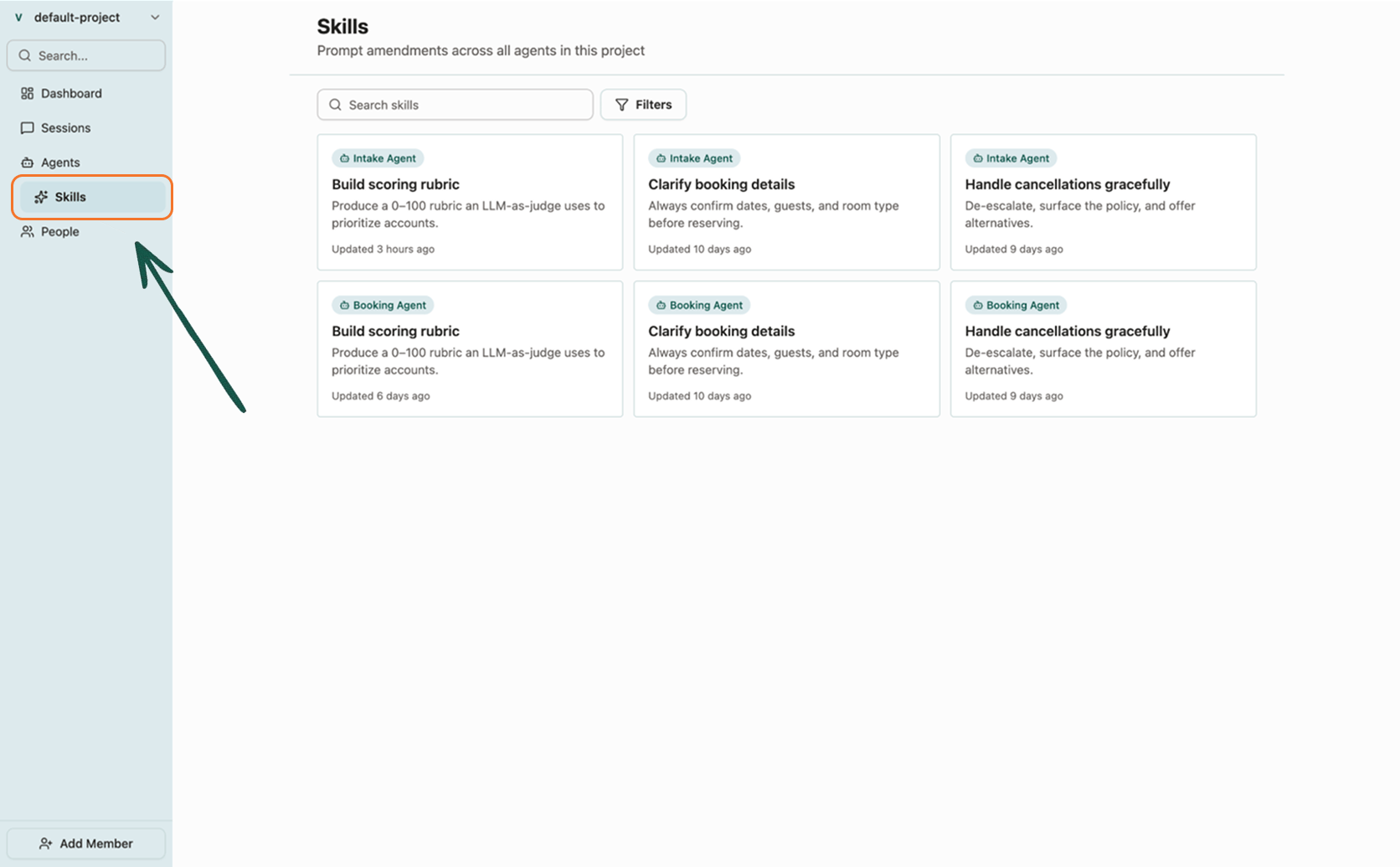
Browse skills from the project sidebar, or manage an agent's skills from its Skills tab
What a skill contains
A skill includes:- Name — a short label, such as “Build scoring rubric”.
- Description — what the skill does and when the agent should use it.
- Content — half- to one-page markdown that amends the agent’s system prompt with instructions, rules, or examples.
How skills work
Once Voker reaches a confidence threshold that your prompt is not efficiently handling a set of tasks or user intent categories, a skill is generated. If a skill is underperforming, or otherwise increasing cost and/or correction rate, Voker will flag it and depending on your human reviewer settings can cut the skill on their own. Every time a skill is added or removed from your prompt architecture Voker auto-increments the agent version.Editing skills
Click a skill to open the editor. Write in markdown or switch to a code view for longer instructions. Changes save automatically.Up next
- Agent version tracking cookbook — iterate on agent behavior and measure the impact.