> ## Documentation Index
> Fetch the complete documentation index at: https://docs.voker.ai/llms.txt
> Use this file to discover all available pages before exploring further.
# Summaries
> Read summaries of sessions, agents, and people to quickly understand context without replaying every detail of every session.
## Overview
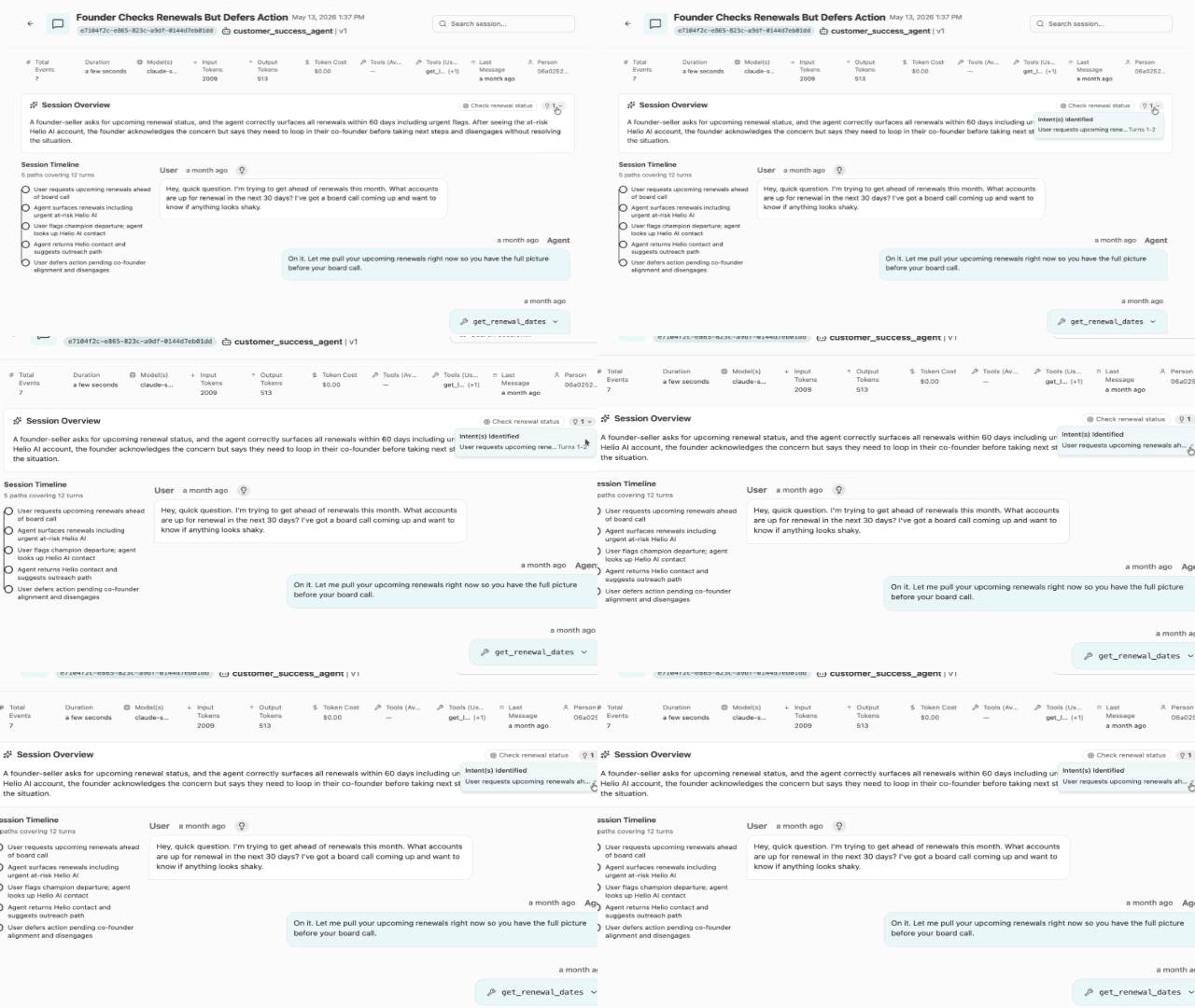
All of Voker's generated Summaries distill long-running session histories into short, readable overviews. These intelligently consider a combination of the latest context and key details that may have come much earlier so you don't miss the most important details.
## Session overview
These include a the most important details of a given session--i.e. flagging a serious user frustration, newly seen intent category, or otherwise summarizing a lengthy conversation.
 ## Agent summaries
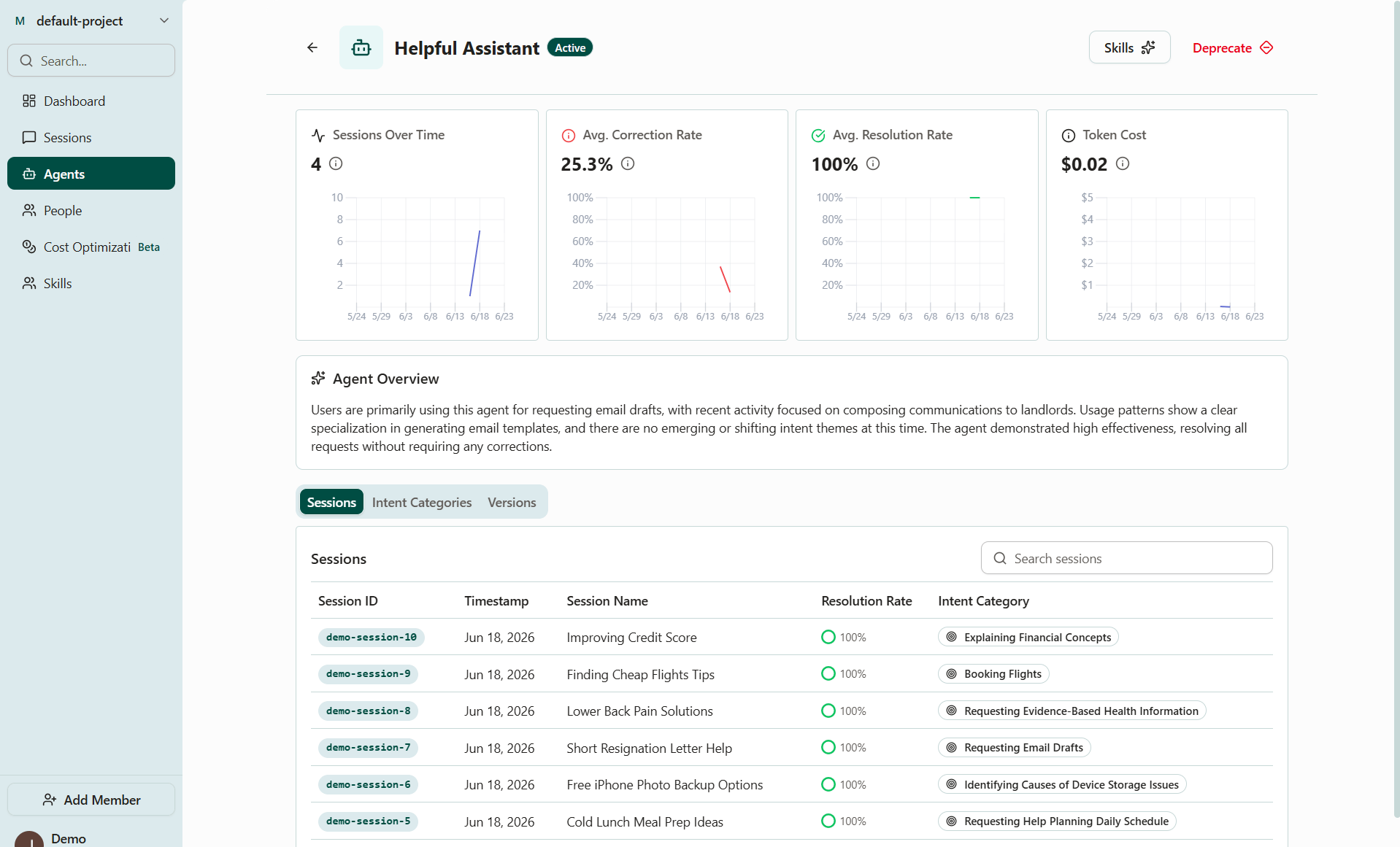
On an agent's detail page, the overview sums up the agent's overall behavior and recent trends, like new intent categories, shifts in correction rate by version and more. Useful when onboarding teammates or reviewing changes after a version rollout.
## Agent summaries
On an agent's detail page, the overview sums up the agent's overall behavior and recent trends, like new intent categories, shifts in correction rate by version and more. Useful when onboarding teammates or reviewing changes after a version rollout.
 ## Person summaries
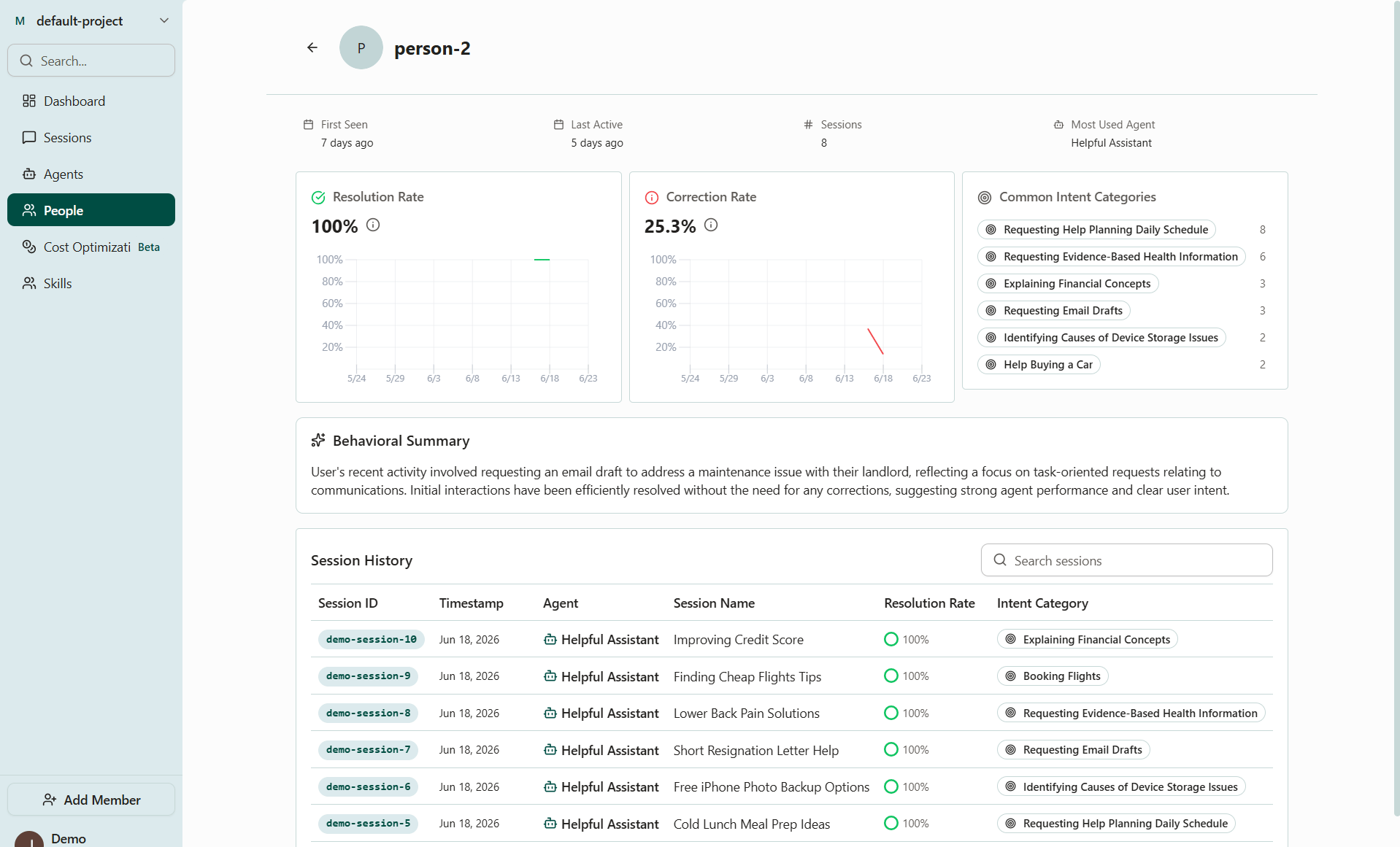
On a person's detail page, the behavioral summary wraps up what a specific user has done across sessions so support and product teams can see a key account's history at a glance.
## Person summaries
On a person's detail page, the behavioral summary wraps up what a specific user has done across sessions so support and product teams can see a key account's history at a glance.
 ## Up next
* [Smart skills (beta)](/platform/smart-skills) — auto-generate skills based on where your agents are struggling most.
## Up next
* [Smart skills (beta)](/platform/smart-skills) — auto-generate skills based on where your agents are struggling most.