> ## Documentation Index
> Fetch the complete documentation index at: https://docs.voker.ai/llms.txt
> Use this file to discover all available pages before exploring further.
# Smart Skills (Beta)
> Generate short markdown skills that make your agents hyper-efficient. Both at getting your user (internal or external) what they need and doing it with less token spend overall.
## Overview
Smart skills are generated by Voker only as necessary--based off user corrections and logged errors and integrated directly into your prompt architecture.
### Where to find Smart skills
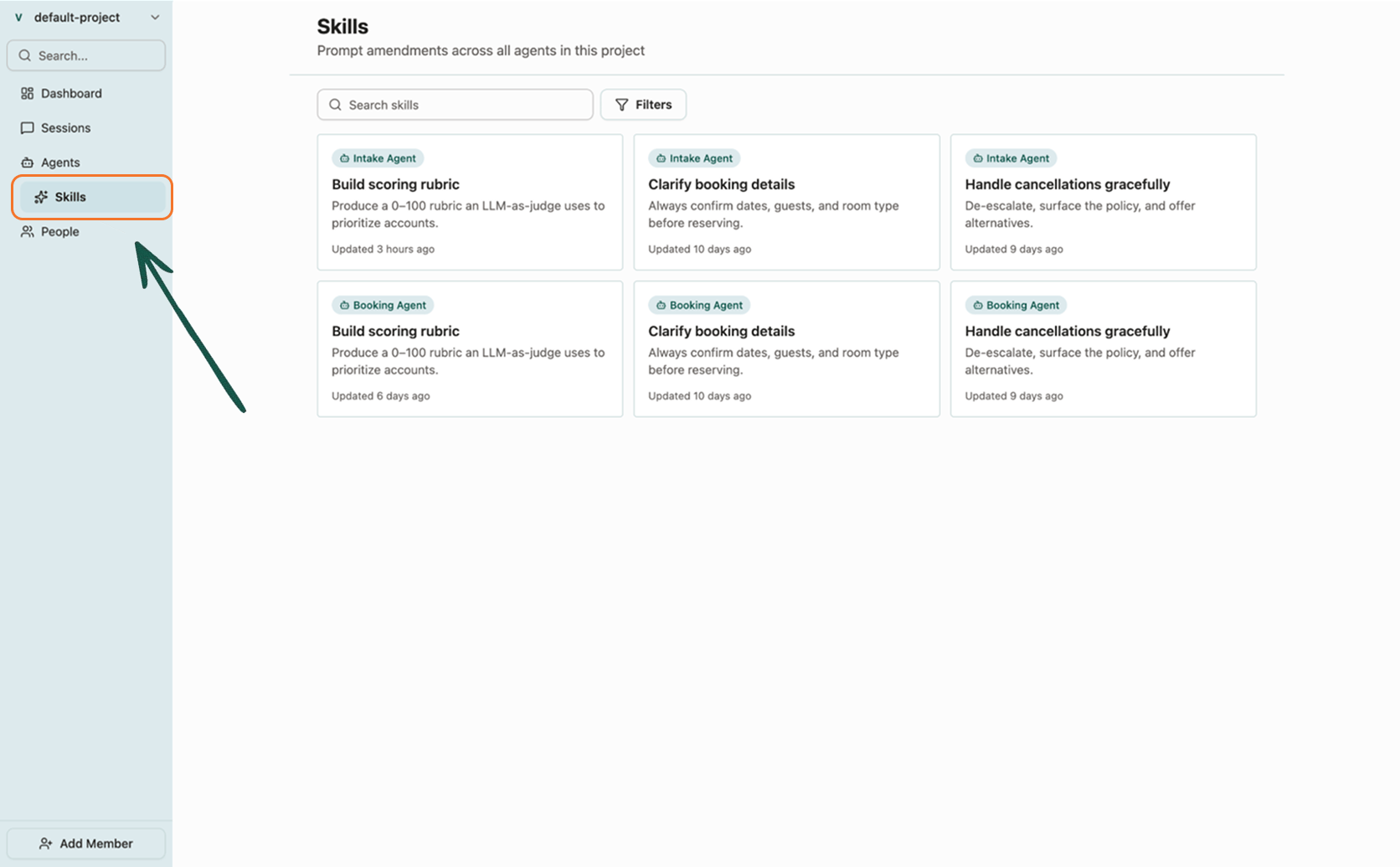
Open **Smart Skills** in the project sidebar to browse skills across all agents, or open an agent and select the **Smart Skills** tab to manage skills for that agent alone.
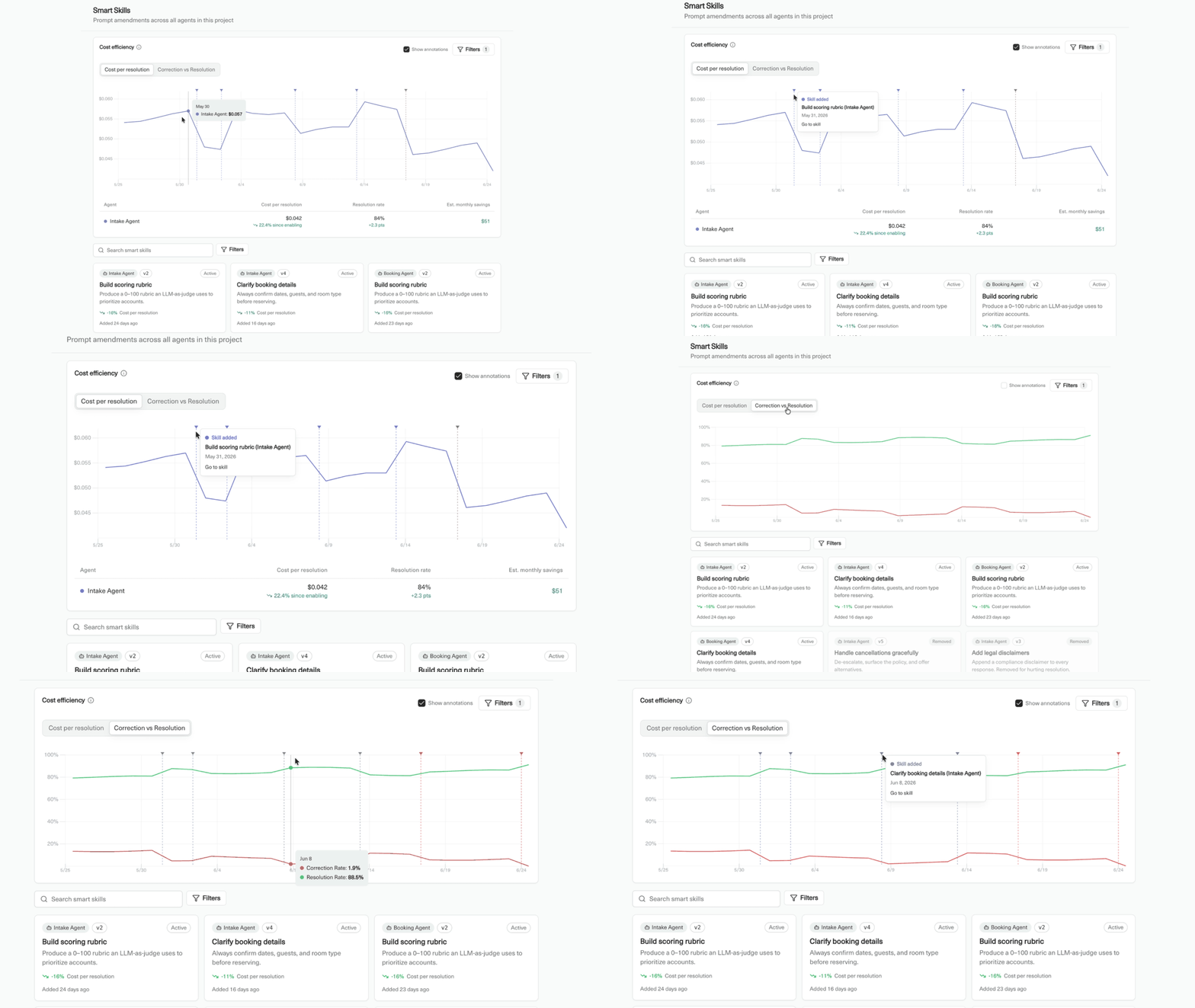
### Smart Skills and cost performance
In addition to making your agent prompts more efficient at getting a user to their destination quicker, skills can improve token efficiency.
Head to the Smart Skills page to see how skills added or removed by Voker are affecting your bottom line.
 ## What a skill contains
A skill includes:
* **Name** — a short label, such as "Build scoring rubric".
* **Description** — what the skill does and when the agent should use it.
* **Content** — half- to one-page markdown that amends the agent's system prompt with instructions, rules, or examples.
## How skills work
Once Voker reaches a confidence threshold that your prompt is not efficiently handling a set of tasks or user intent categories, a skill is generated.
If a skill is underperforming, or otherwise increasing cost and/or correction rate, Voker will flag it and depending on your human reviewer settings can cut the skill on their own.
Every time a skill is added or removed from your prompt architecture Voker auto-increments the agent version.
## Editing skills
Click a skill to open the editor. Write in markdown or switch to a code view for longer instructions. Changes save automatically.
## Up next
* [Agent version tracking cookbook](/cookbooks/agent-version-tracking) — iterate on agent behavior and measure the impact.
## What a skill contains
A skill includes:
* **Name** — a short label, such as "Build scoring rubric".
* **Description** — what the skill does and when the agent should use it.
* **Content** — half- to one-page markdown that amends the agent's system prompt with instructions, rules, or examples.
## How skills work
Once Voker reaches a confidence threshold that your prompt is not efficiently handling a set of tasks or user intent categories, a skill is generated.
If a skill is underperforming, or otherwise increasing cost and/or correction rate, Voker will flag it and depending on your human reviewer settings can cut the skill on their own.
Every time a skill is added or removed from your prompt architecture Voker auto-increments the agent version.
## Editing skills
Click a skill to open the editor. Write in markdown or switch to a code view for longer instructions. Changes save automatically.
## Up next
* [Agent version tracking cookbook](/cookbooks/agent-version-tracking) — iterate on agent behavior and measure the impact.